Compressed RAM swap
zram provides zstd-compressed swap in memory, with kernel zswap
disabled so pages are never compressed twice. This avoids routine writes
to soldered storage.
Feather is a Debian 13 distribution that turns retired x86-64 Chromebooks into useful, approachable computers for everyday work and development.
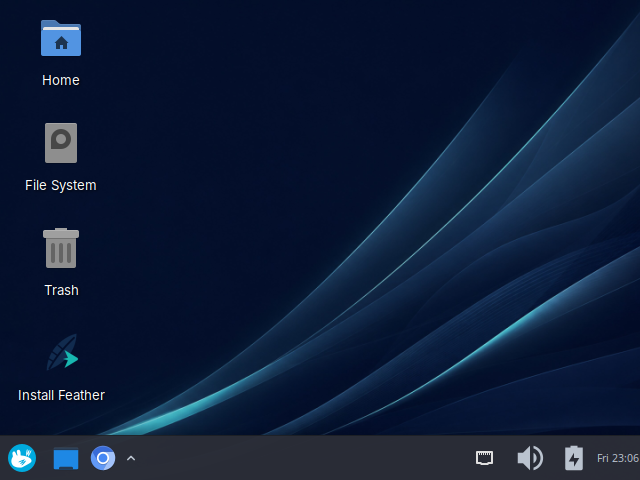
The first hardware target is the Lenovo 500e Chromebook Gen 3
(ChromeOS board boten). Its profile is now
qemu-verified, not supported: QEMU can verify Feather's detection
and configuration logic, but not that speakers, touch, sensors,
suspend, firmware, or internal storage work on the device.
The tuning targets the constraints of Chromebook hardware (small soldered eMMC and limited RAM).
zram provides zstd-compressed swap in memory, with kernel zswap
disabled so pages are never compressed twice. This avoids routine writes
to soldered storage.
The system journal is capped to preserve useful history while limiting writes to small eMMC devices, and a build step trims the image of documentation and unused locales.
Keyboard mapping and audio are configured from pinned upstream sources, applied per board rather than as broad platform-wide changes.
Packages and security updates come from Debian, so what you learn and install carries over to any other Debian system.
Feather runs in a throwaway virtual machine, so nothing on your host is touched. Build on Debian 13, on a Linux filesystem with at least 12 GiB genuinely free (WSL2 works too).
sudo apt install qemu-system-x86 qemu-utils ovmfgit clone --recursive https://github.com/SakethSripada/Feather-Linux.git feather-linux
cd feather-linux
scripts/preview.sh
preview.sh builds the ISO (it needs root, so it prompts for your
password) and boots it in a graphical QEMU window. Already have an ISO? Run
scripts/preview.sh --no-build to go straight to the window.
Old artifacts are for QEMU evaluation only. A physical BOTEN test requires a new release-mode image, the exact-source candidate gate, all offline QEMU checks, and the staged hardware-test runbook.
| Area | Current evidence |
|---|---|
| Repository configuration and hardware fixtures | Passing locally |
| Clean ISO artifact | 940572672 bytes, QEMU-verified |
| UEFI and legacy live boot | QEMU-verified |
| BOTEN injected-DMI QEMU test | QEMU-verified, not supported |
| Calamares virtual-disk installation | Pending manual QEMU evidence |
| NVRAM fallback and disk isolation | Pending QEMU storage evidence |
| Physical Chromebook validation | Ready to begin staged BOTEN live/external testing; no physical evidence yet |